


How to Choose Digital Signage for Business Growth
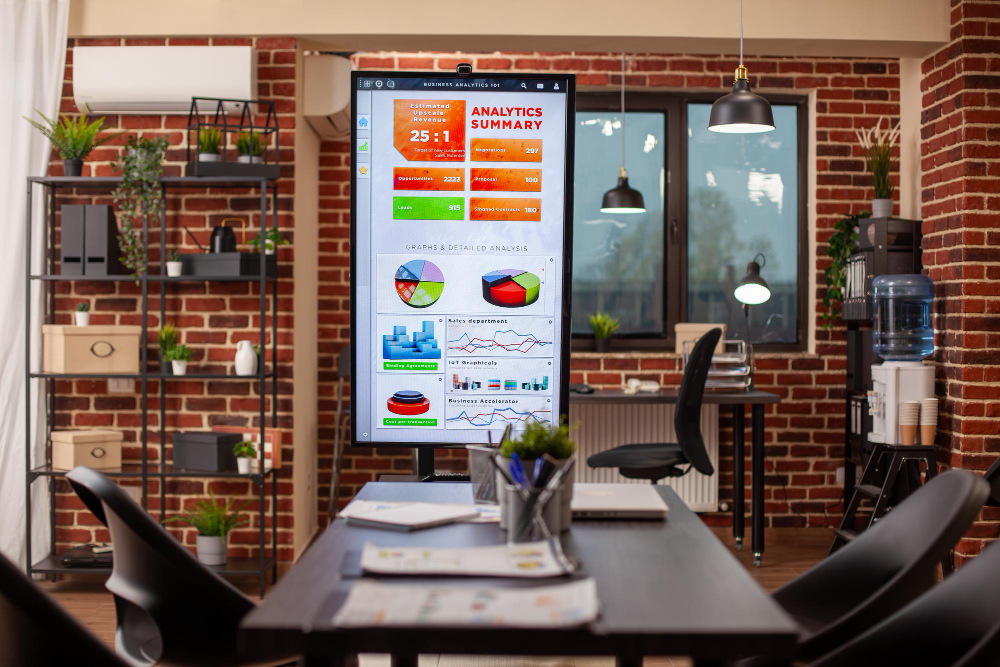
Digital signage has moved beyond being a showy gimmick and into a key business communication tool that can generate substantial growth. The commercial justification is strong, with research indicating that 80% of companies experience up to a 33% increase in sales after installation and digital screens attract 400% more views than static signs. However, with an estimated global market value of $34 billion by 2029, the market is expanding quickly, and the sheer number of available options may be intimidating. Powerful Outdoor Digital Signage UK solutions provide a great method for companies seeking to attract high-traffic audiences outside of their four walls; however, they must be carefully considered in terms of brightness, weatherproofing, and regulatory compliance. Success comes from aligning your digital signage strategy with clear business objectives and quantifiable results, not just from purchasing screens. To maximise the growth potential of your digital signage, it’s critical to consider the key components.
Set Your Goals and Success Metrics First
You must determine your «why» before looking into hardware or software. Digital signage is most effective when connected to particular, quantifiable objectives. Are you looking to improve employee communication with real-time KPIs, enhance customer experience with wayfinding, or increase sales through in-store promotions? Describe your ideal consumers and what information they need to see. Set success measures, such as increased sales, decreased wait times, or employee engagement scores. From display placement to software selection, this clarity will guide every future decision, ensuring that your investment directly supports business expansion rather than becoming pricey digital wallpaper.
Get acquainted with the fundamental elements
Software, support, media players, and displays are the four primary building pieces of a digital signage system. The physical screen is the display; Commercial-grade screens with excessive brightness (2,500+ nits) and weatherproof enclosures are required for outdoor use to withstand sunlight. To produce and present content, the media player gives you the option of using either System-on-Chip (SoC) displays (simpler, fewer cables) or external players (flexible, dependable). The Content Management System (CMS) is the centre of your content production, planning, and distribution. Cloud-based CMS is perfect for businesses with several locations since it allows for rapid setup and remote management.
Select displays of commercial quality
The requirements of business usage are not met by consumer TVs They are not bright, robust, or continuously operating enough for signage. For indoor applications, a brightness of 350-500 nits is ideal; for bright interior spaces or window displays, 700-1,500 nits; and for outdoor use, you’ll need 2,500+ nits to maintain visibility in direct sunshine. When choosing size, take into account viewing distance: around 1 inch of diagonal screen for every foot of viewing distance. When designing video walls, consider bezel width; narrower bezels produce a more continuous image, albeit at a greater expense. Samsung, LG, and NEC are well-known commercial display brands.
Make the Best Choice for Your Content Management Software (CMS)
Your digital signage network is centred around your CMS. It determines how simple it is to plan, manage, and create content on all platforms. Put ease of use first: your staff must be able to administer it well without comprehensive training. Look for sturdy scheduling options, such as dayparting (presenting other material at different times) and the capacity to link with your current corporate systems (POS, calendar, and data streams). Because of its automated updates, remote access, and minimal IT expenses, cloud-based CMS is usually advised. Don’t just consider the initial cost; evaluate the pricing model, such as a flat fee or per-screen, and figure out the total cost over several years.
Total Cost of Ownership (TCO) budget
Digital signage is an investment in a system rather than a one-time purchase. Take into account the overall expense over the course of three to five years while creating a budget. This covers hardware (screens, players, mounts), software licensing (monthly or annually), installation (cabling, mounting), content creation (templates, continuing design), training, and ongoing assistance. Per screen, estimate the costs: an outdoor screen may cost anywhere from £5,000 to £10,000 or more, while a basic indoor setup will run you between £800 and £2,000. Take into account future hardware replacements, network connection, and power use. Most businesses claim ROI within 12 to 18 months due to higher sales and lower printing expenditures, despite the fact that initial expenses can be considerable.
Conclusion
Making a strategic decision to utilise digital signage for business growth demands careful planning and analysis. You may build a robust communication network that produces quantifiable results by understanding core components, outlining clear goals, and selecting commercial-grade hardware and user-friendly software. Success, regardless of whether you are installing interior screens or looking into outside signs to draw big crowds, comes from matching technology to your company objectives and organising for the total cost of ownership. Keep in mind that the content and management are just as important as the displays themselves. Digital signage transforms into a real brand and engagement engine, offering visibility, velocity, and value that powers sustainable growth when combined with the appropriate approach and vendor collaboration.
Visit Cea for more informative blogs.
¡Suscríbete!